Atlas Tile Wrapper
A downloadable shader
Atlas Tile Wrapper
The Atlas Tile Wrapper is a specialized utility designed to enable seamless texture repetition for individual tiles within an atlas. Much like the functionality of trim sheets, it allows you to repeat sub-textures in both directions while maintaining the efficiency of a single texture sheet.
Benefits
- Performance Optimization: Significantly reduces draw calls by batching multiple objects into a single material.
- Enhanced Resolution: Achieve higher visual fidelity using smaller source textures through tiled repetition.
- Workflow Efficiency: Streamlines material management and accelerates the baking process for complex assets.
Video Tutorial / Timelapse:
Workflow for Blender
- Material Setup: Create a new material and import your Atlas Textures, ensuring the interpolation is set to Closest.
- Node Integration: Add the Atlas Tile Mapper NodeTree to your shader graph.
- Parameter Configuration:
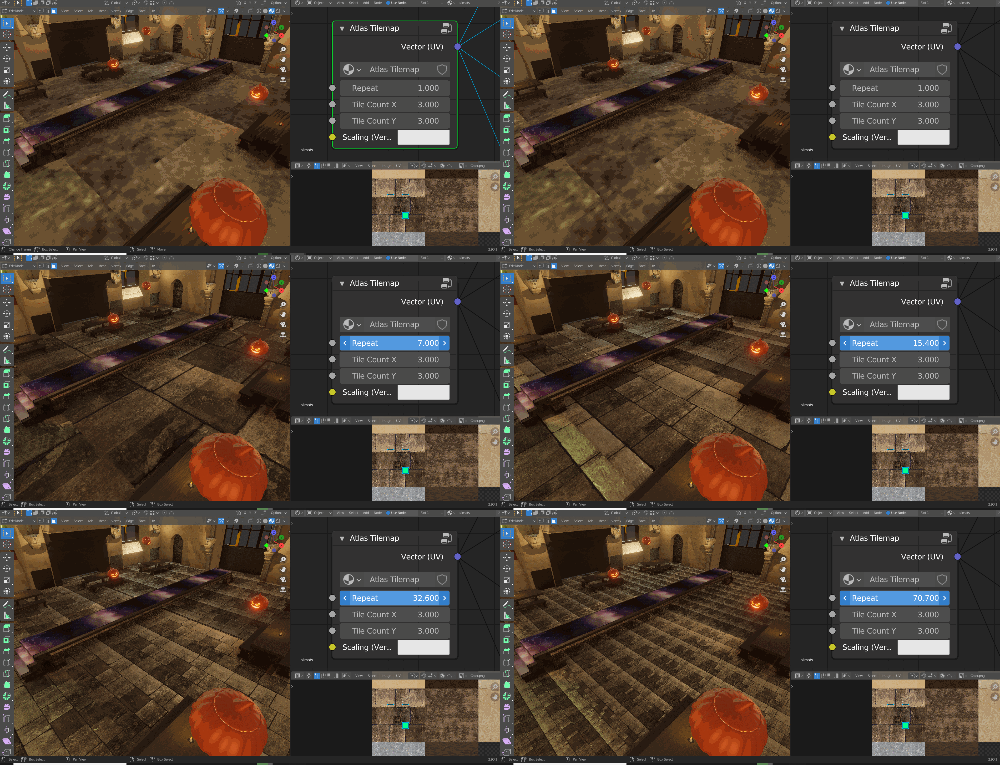
- Repeat: Set the frequency of the texture repetition.
- Tile Count: Define the grid size of the atlas.
- Mapping: Connect the node output to the UV Vector input of your textures.
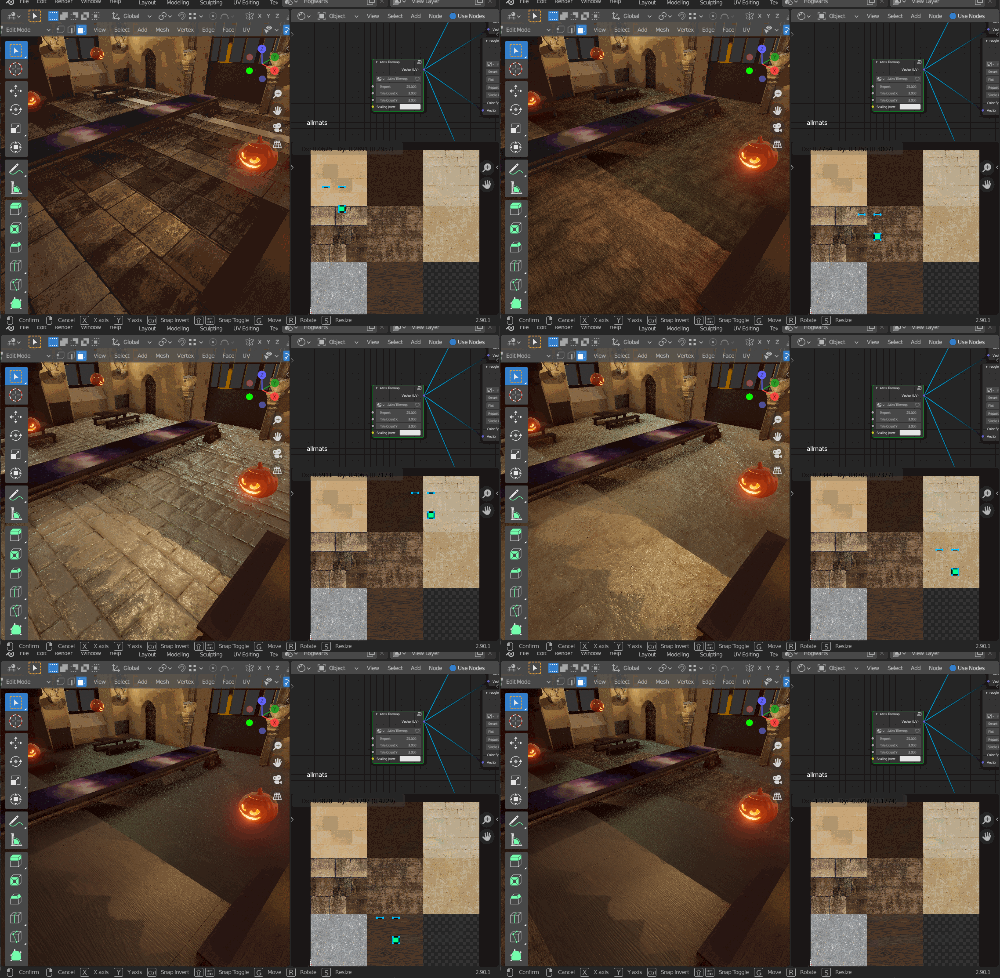
- UV Projection: Project the UVs of your model to the specific tile area. For best results, use Cube Mapping.
- Note: You can further fine-tune repetition density by scaling the UV islands directly in the UV editor.
Workflow for Godot
- Texture Import: Bring your Atlas Textures into the project. If you encounter visual artifacts, disable Filter and Mipmapping in the import settings.
- Shader Application: Create a new ShaderMaterial and apply the Atlas Tile Wrapper shader.
- Adjust Settings:
- Tile Count: Define the grid size of the atlas.
- Scale: Control the number of texture repetitions.
- Material Inputs: Assign your Atlas maps to the corresponding slots (Albedo, Specular, Metallic, Roughness, Emission, Normal, and AO).
- Surface Details: Fine-tune Emission Energy, Normal Scale, and AO Light Affect.
- Secondary Mapping: Use the Texture AO UV2 toggle if you are utilizing a secondary UV channel for baked ambient occlusion.
Download
Click download now to get access to the following files:
Leave a comment
Log in with itch.io to leave a comment.